
If you sell courses, coaching, ebooks or a paid community in Nigeria or anywhere in Africa, your buyers are on WhatsApp. They ask questions there, pay there, and forget about you there if nobody replies.
The problem isn't attention. It's time. You can't answer every "How much?" at 2am, follow up with 300 new leads by hand, or remind your class every Thursday without losing your week.
WhatsApp automation fixes that. Done well, it doesn't feel like a robot. It feels like you, replying fast, every time.
This guide covers what WhatsApp automation is, the five automations every creator should run, how to set each one up in Serlzo, and the rules that keep your number safe.
What is WhatsApp automation?
WhatsApp automation means messages go out on their own when something happens: someone joins your list, sends a keyword, buys, or goes quiet. You write the message once, and it runs for every person, at the right moment.
It covers four kinds of work:
- Triggered messages. A welcome the second someone signs up, or a reply when they text a keyword like "VIP".
- Follow-up sequences. A message today, another in two days if they haven't replied, across WhatsApp, email and SMS.
- AI replies. A chatbot that answers questions about your products and sends checkout links.
- Broadcasts and group posts. Launch announcements to your list, and scheduled lessons to your class group.
First decision: official API or personal number?
Before you automate anything, you choose how your WhatsApp connects. Serlzo supports both options, and they behave differently.
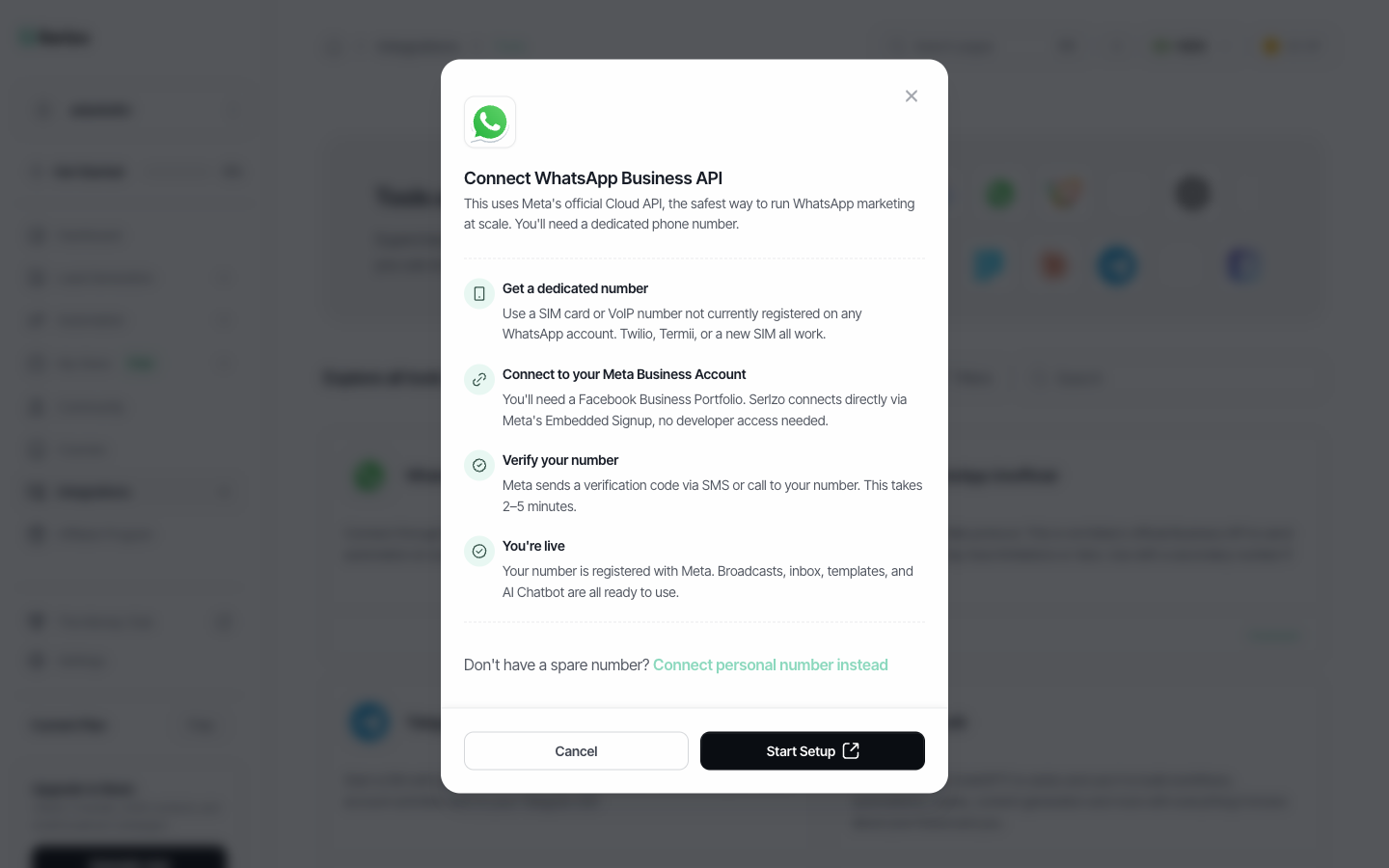
Meta's official WhatsApp Business API (Cloud API). This is the route Meta approves for business messaging at scale. You need a dedicated phone number that isn't already on a WhatsApp account (a new SIM, or a VoIP number from Twilio or Termii, works). Serlzo connects it through Meta's Embedded Signup, so you don't need a developer, and verification takes about 2 to 5 minutes.
Your personal number (unofficial connection). You can also connect the number you already use by scanning a QR code or entering a pair code, like WhatsApp Web. It lets you send free-form messages without template approval and post into WhatsApp groups. The trade-off is real: it isn't Meta's official API, so the number can be banned if WhatsApp flags your activity, and nobody, including Serlzo, can recover a banned number.
| Official Business API | Personal number | |
|---|---|---|
| Number | Dedicated number | The one you already use |
| Messages to new contacts | Meta-approved templates | Free-form text and media |
| Group posts in Serlzo | No | Yes, scheduled group posts |
| Ban risk | Lowest | Higher, use it gently |
| Best for | Broadcasts and selling at scale | Small audiences and class groups |
Our advice: if WhatsApp is a serious sales channel for you, use the official API for broadcasts and selling. Use a personal-number connection only for what it's uniquely good at, like posting lessons in a class group, and keep volumes modest.
The 5 WhatsApp automations every creator should set up
1. An instant reply when someone texts a keyword
You post "Text JOIN VIP to get this week's free class" on Instagram. Two hundred people message you. Without automation, most of them wait hours and lose interest.
In Serlzo, a workflow can start the moment a WhatsApp message arrives. You set the words to watch for, and how strictly to match them: contains phrase, exact match, or close match, which catches typos like "jion vip".
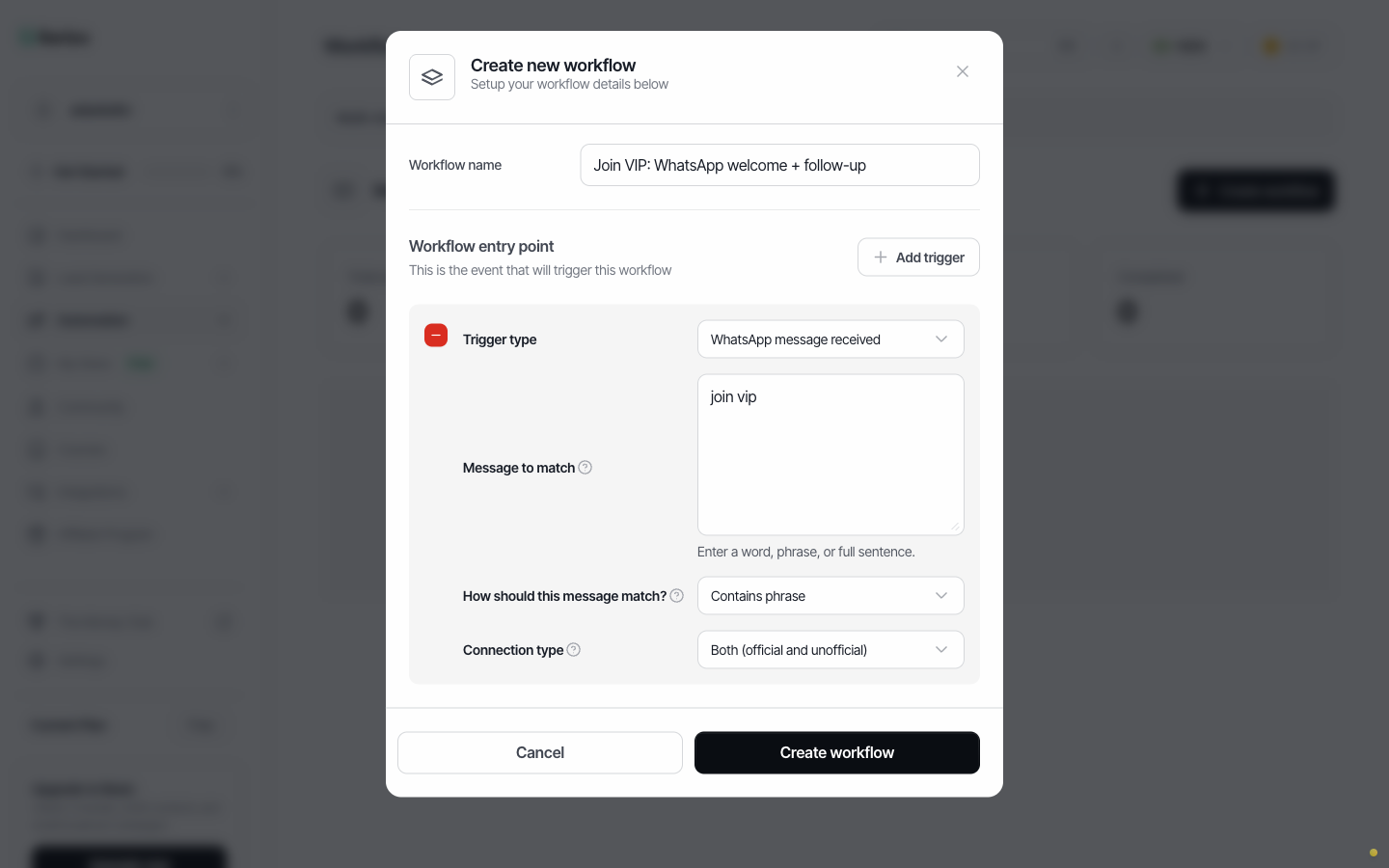
The workflow can then send the class link, add the person to your VIP list, tag them, and start a follow-up sequence. Every comment-to-DM campaign you run becomes a list you own.
2. A follow-up sequence across WhatsApp, email and SMS
Most sales happen on the second, third or fourth touch. A good sequence does those touches for you, and stops when the person responds.
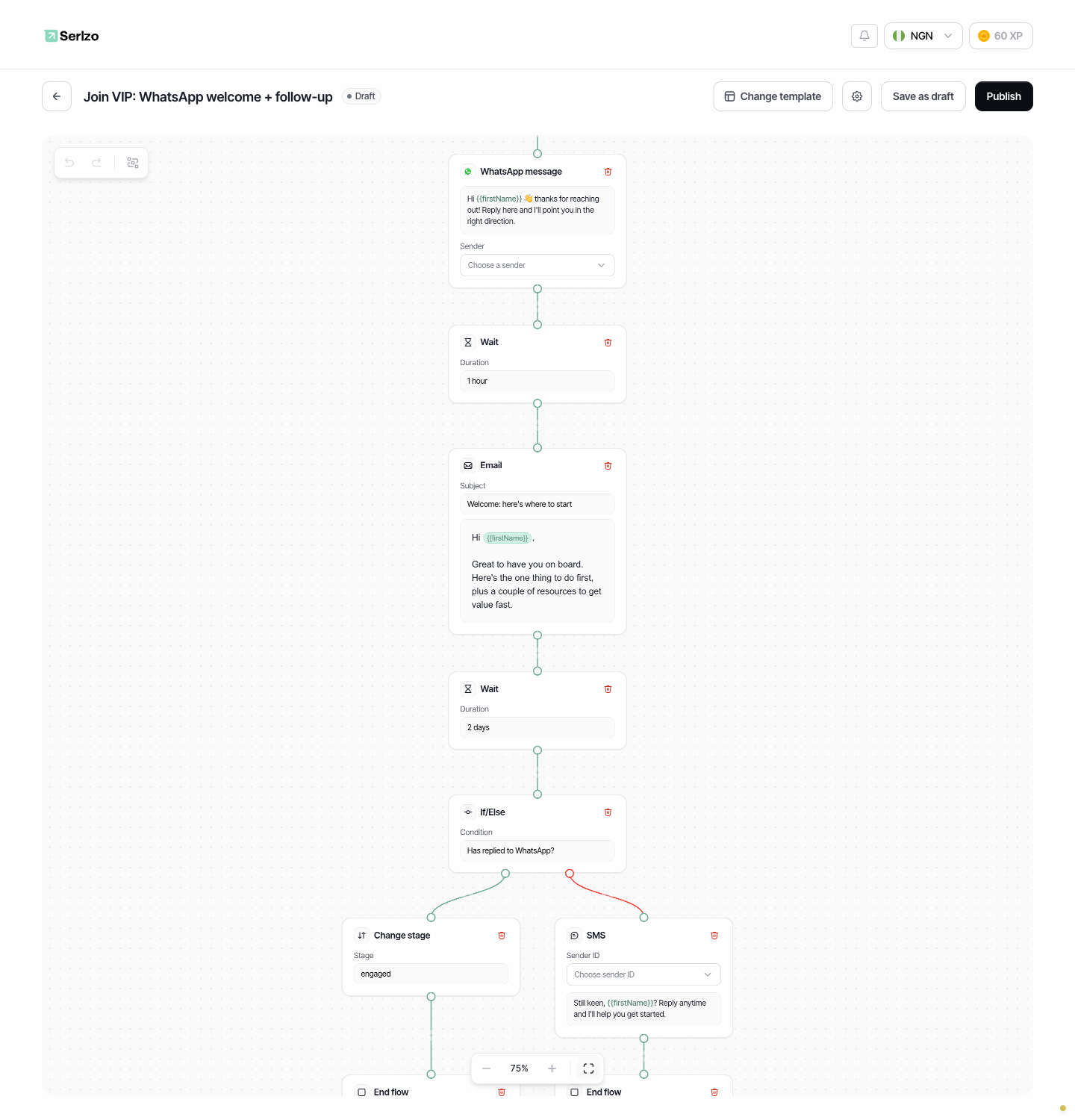
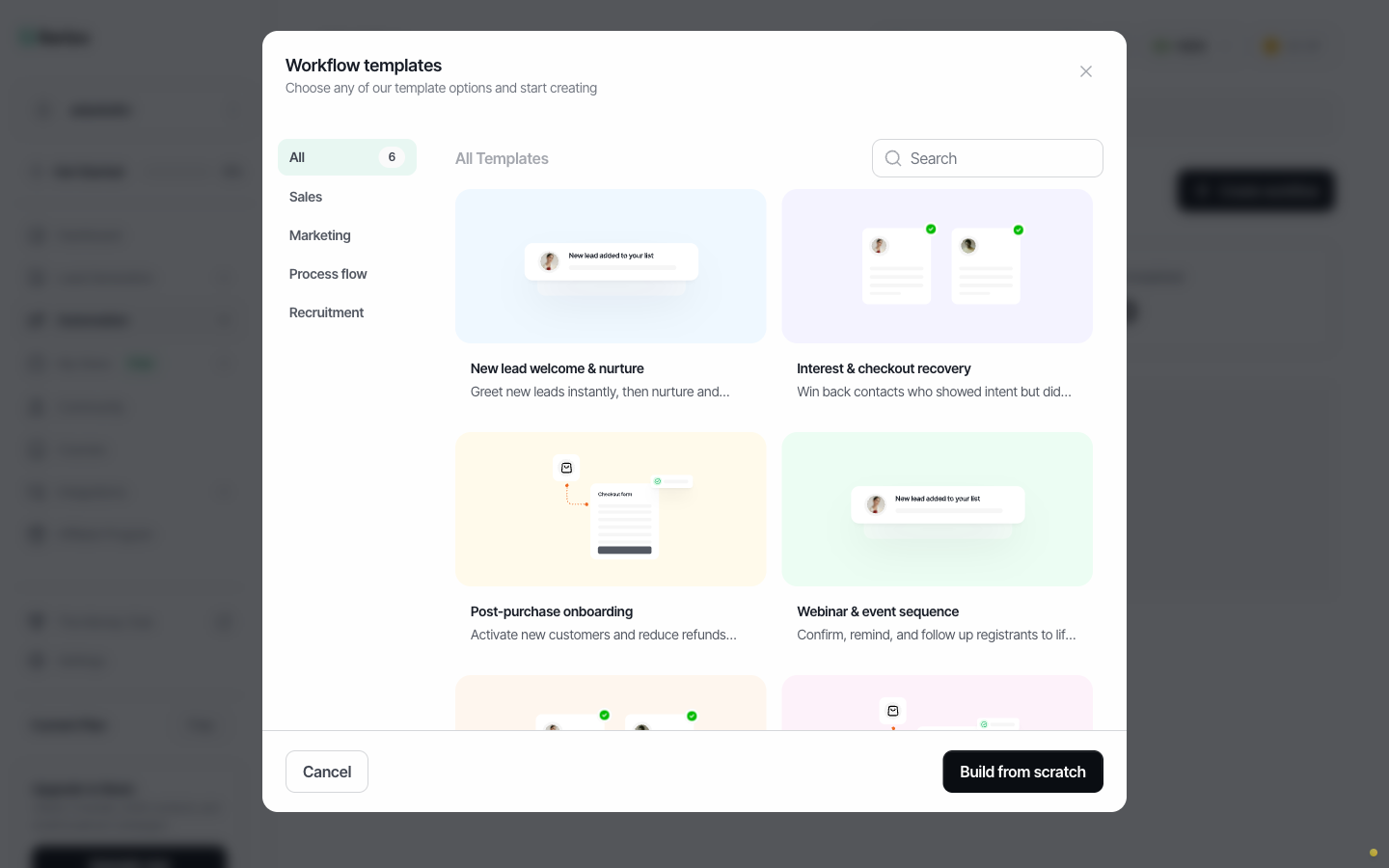
Here's a real Serlzo workflow built from the New lead welcome & nurture template:
- WhatsApp message: a personal welcome using their first name.
- Wait 1 hour.
- Email with the one thing to do first and a couple of resources.
- Wait 2 days.
- If/Else: has this person replied on WhatsApp?
- Yes: move them to the "engaged" stage in your CRM.
- No: send a short SMS nudge.
Workflows can start when a contact is added to a list, a form is submitted, a purchase is completed, a cart is abandoned, a contact's status changes, or a WhatsApp message comes in. Steps include WhatsApp, email and SMS messages, waits, If/Else branches, list and tag changes, and CRM stage updates.
Two details matter more than they look:
- Send windows. Turn on "never send overnight" so a 3am signup gets your welcome at a decent hour in their timezone.
- Branch on replies. Anyone who replies is a conversation, not a sequence. Pull them out of the automation so they talk to a human, or to your AI.
You don't have to build these from scratch. Serlzo includes ready-made templates for lead nurture, checkout recovery, post-purchase onboarding, webinar reminders, re-engagement and lead qualification.
3. An AI chatbot that answers and sells, day and night
The questions you get on WhatsApp are mostly the same twenty: price, what's included, how to pay, how to access the course after paying. An AI chatbot handles those in seconds, at any hour.
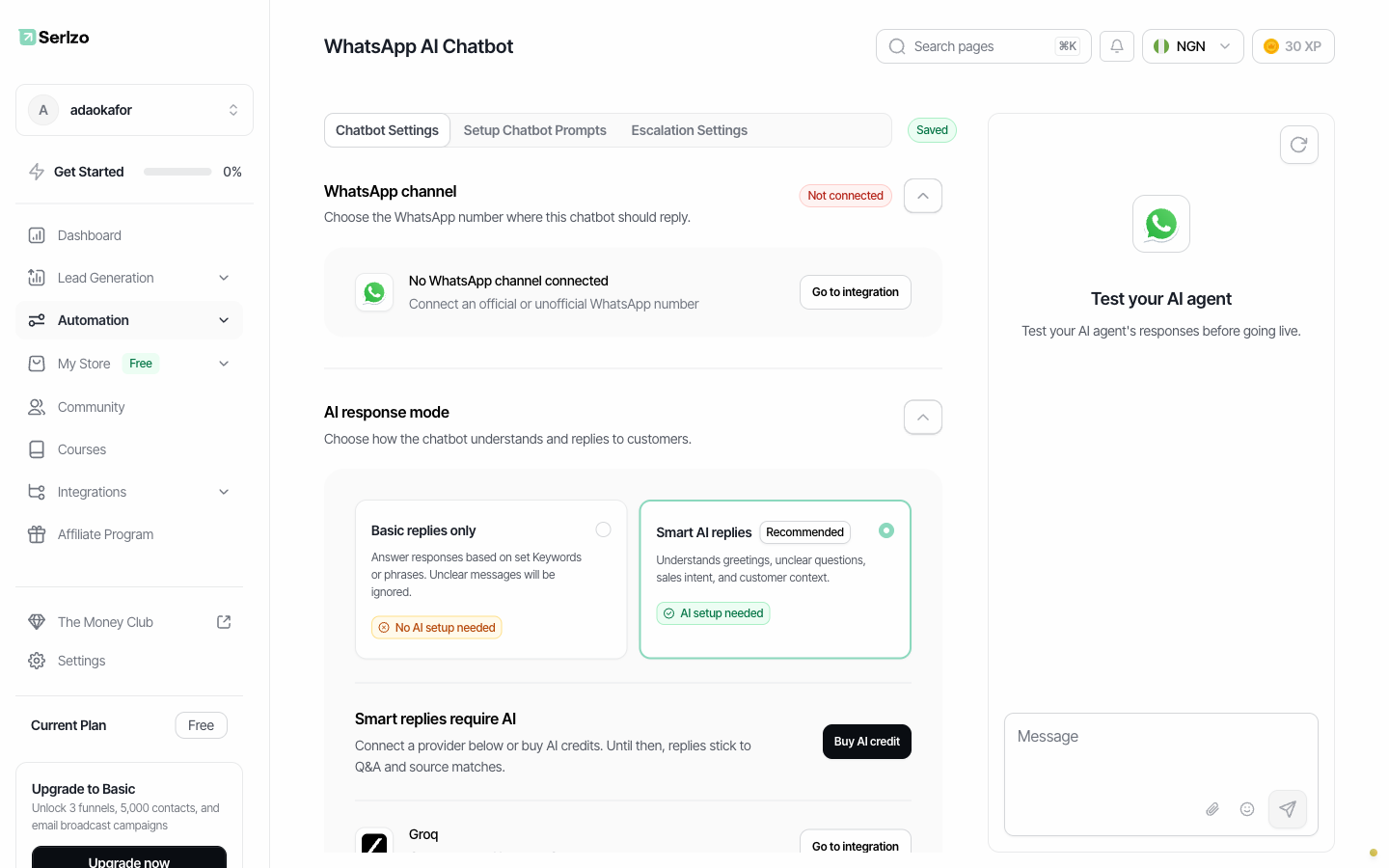
Serlzo's WhatsApp AI chatbot learns from what you've already built: your storefront products, courses, communities, workflows and past broadcasts. So when someone asks "What's in the Pro bundle?", it answers from your real product details and sends the right checkout link.
You stay in control:
- Two reply modes. Basic replies answer only from keyword and response pairs you write. Smart AI replies understand greetings, unclear questions and buying intent.
- Human review mode. Hold every AI reply for your approval before it's sent, while you build trust in it.
- A confidence threshold. Replies the AI isn't sure about come to you instead of going out.
- Handoff triggers and escalation. Phrases like "refund" or "speak to someone" escalate the chat, and you're alerted by email, WhatsApp or Telegram.
- A playground. Test the bot with real questions before it talks to a single customer.
Smart replies use AI credits, or you can connect your own Groq, Claude or OpenAI account.
4. Broadcasts for launches and promotions
Broadcasts are how you announce a launch, an early-bird deadline or a live class to your whole list at once.
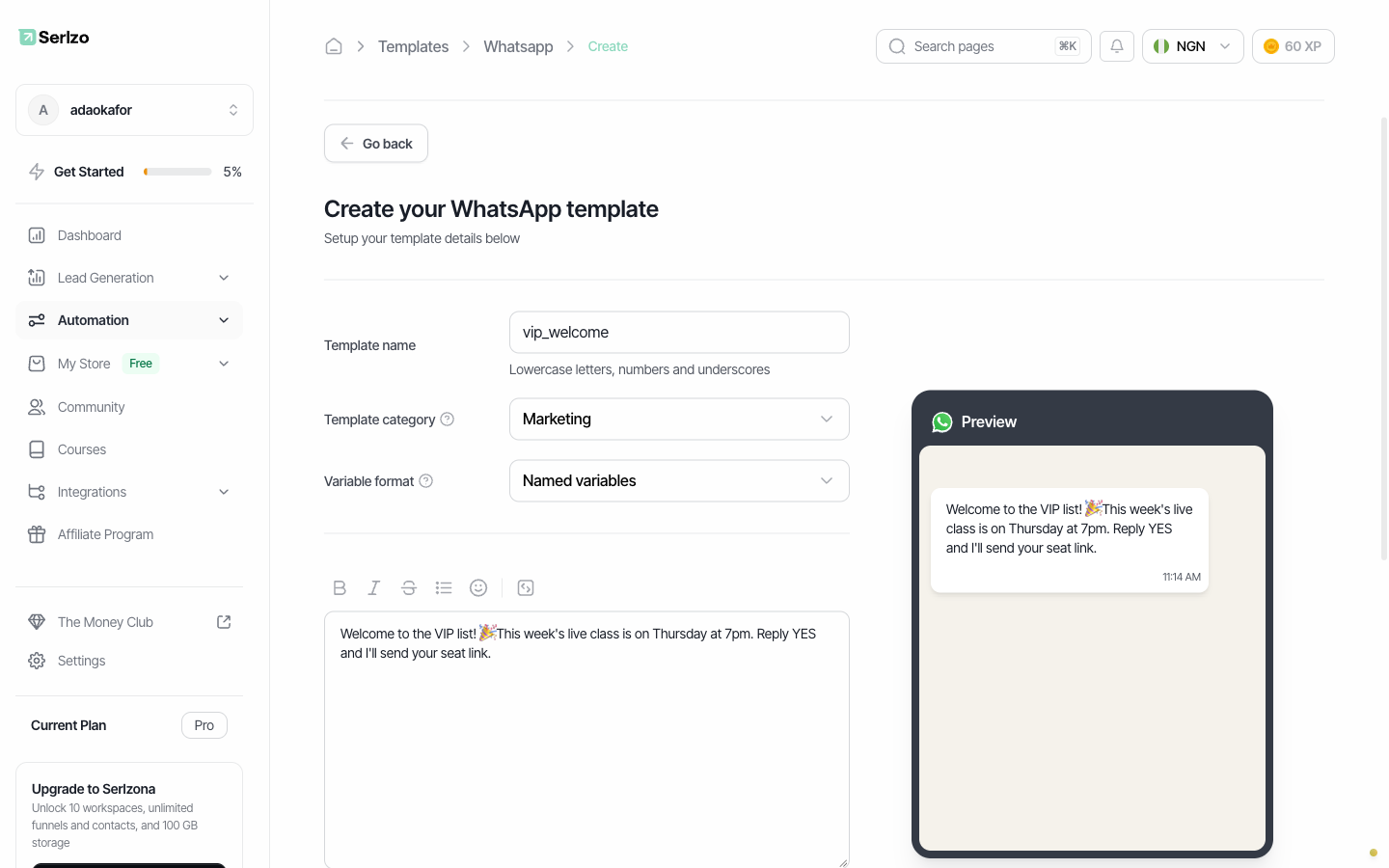
On the official API, WhatsApp requires an approved message template for business-initiated messages, which protects your number's quality rating. In Serlzo you write the template, pick a category (Marketing, Utility or Authentication), add variables like the person's first name, an optional image header and buttons, and submit it to Meta. Review can take up to 24 hours, so create launch templates a few days early.
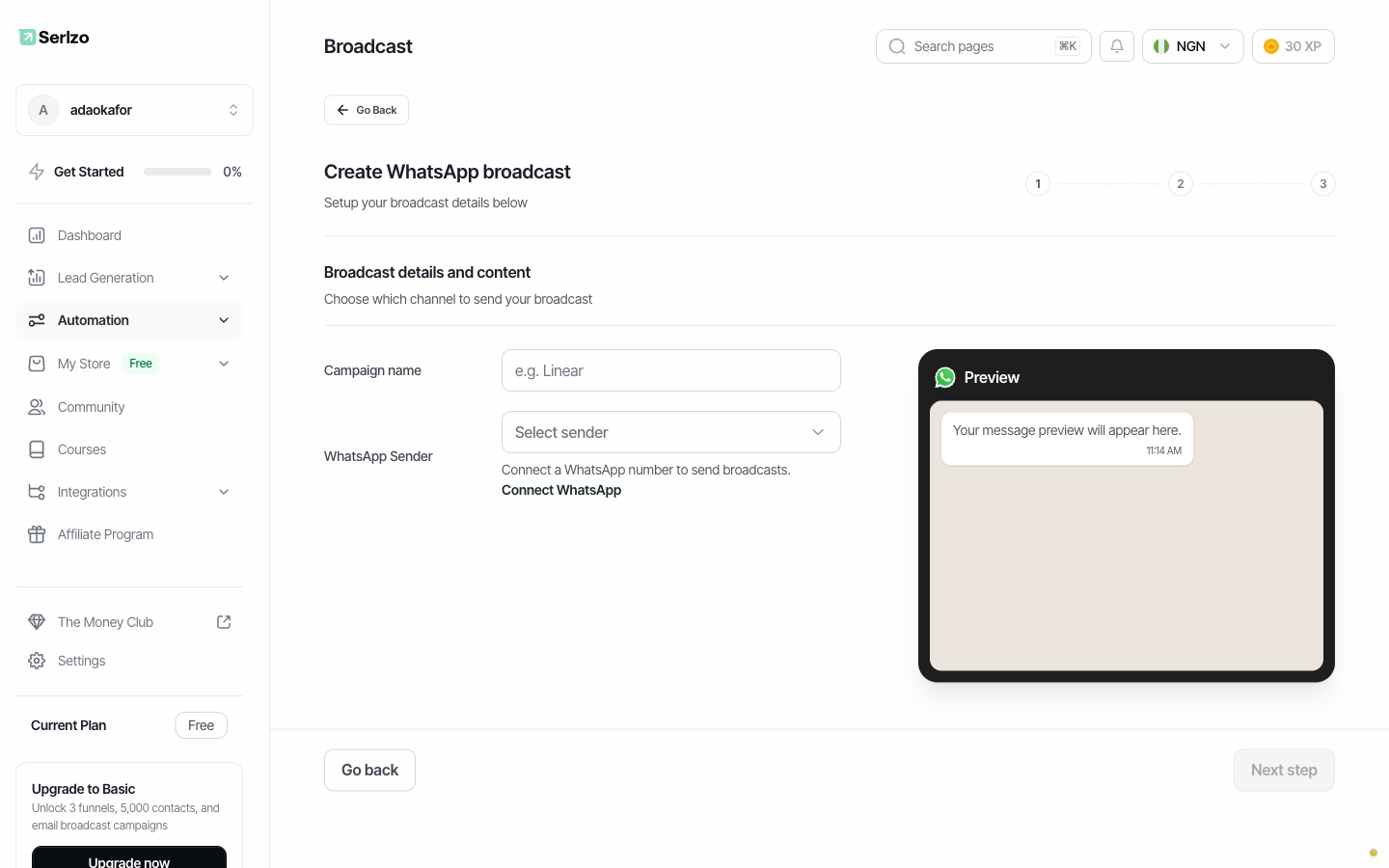
Then create the broadcast: choose your sender, pick the audience (a CRM list, your product customers, or your community members), send a test to yourself, and send now or schedule it for a specific time and timezone.
After it goes out, you see how many messages were sent, delivered, read and failed, and anyone who replies lands in your WhatsApp inbox, where the AI can draft a response for you to send or dismiss.
5. Scheduled lessons in your WhatsApp class group
Plenty of creators run a cohort or mentorship in a WhatsApp group. Posting the lesson, the reminder and the worksheet every week by hand gets old fast.
A Serlzo WhatsApp group workflow posts text or image messages to an existing group on a schedule, once or repeating daily, weekly or monthly, with waits between messages. Load a whole 6-week program once and it delivers itself.
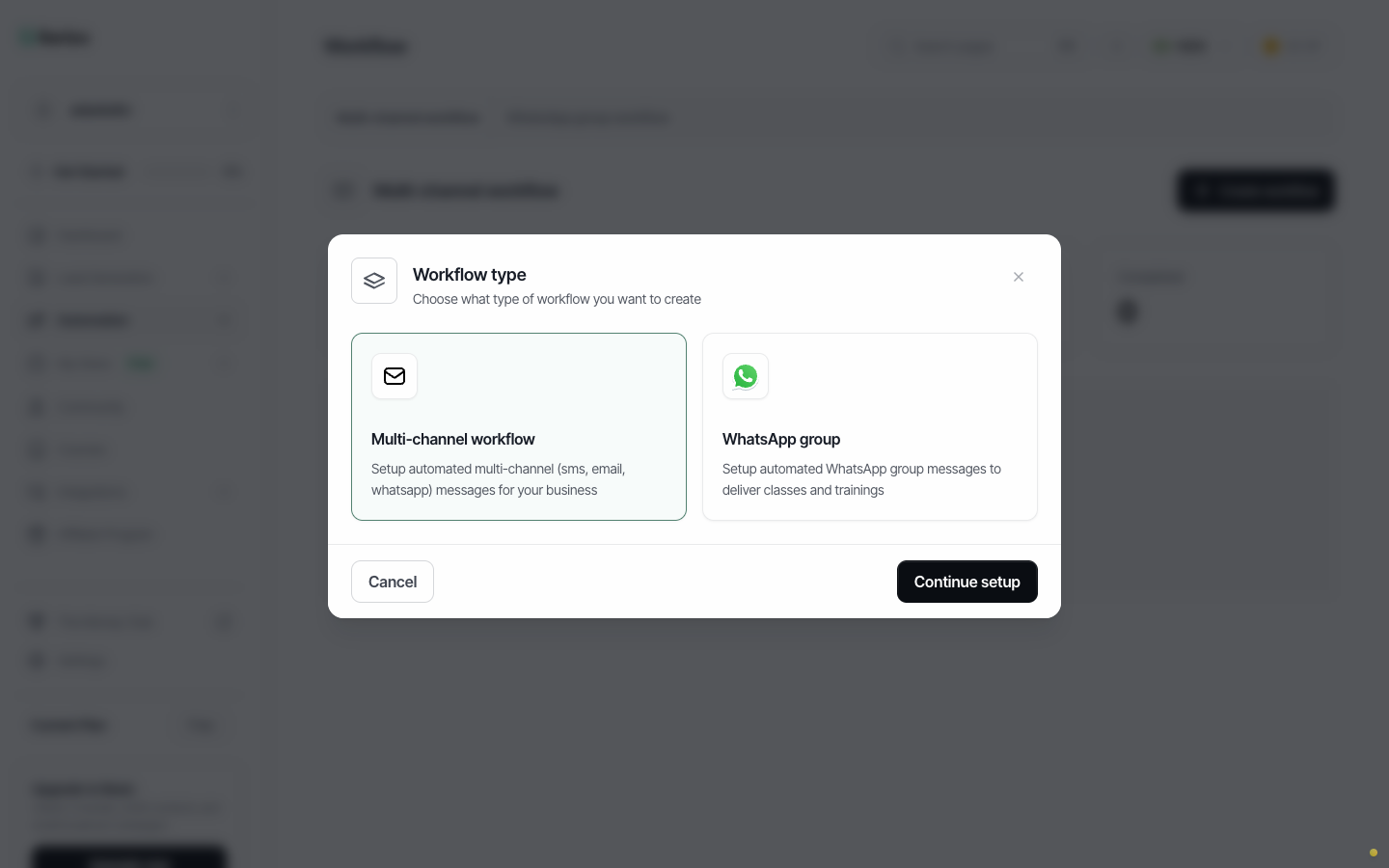
Group workflows run on the personal-number connection. If your group is announcement-only, the connected number needs to be a group admin.
How to set up WhatsApp automation in Serlzo
- Create your free account at app.serlzo.com.
- Connect WhatsApp. Go to Integrations → Tools, and choose the official Business API (recommended) or your personal number.
- Create your templates under Automation → Templates → WhatsApp and submit them to Meta.
- Build your first workflow under Automation → Workflow. Start from a template, set the trigger, and fill in your messages.
- Turn on the AI chatbot under Automation → WhatsApp AI Chatbot, connect your channel, and test it in the playground.
- Send your first broadcast under Automation → Broadcast once your templates are approved.
Workflows and WhatsApp marketing are on Serlzo's paid plans, which start at $13 (about ₦17,500) a month. Prefer not to click through menus? Sio, Serlzo's AI agent (in early access), is built to take requests in plain words, like "send a WhatsApp welcome to everyone who joins my VIP list, then follow up in two days", and set them up for you.
WhatsApp automation rules that keep your number safe
Automation multiplies whatever you do, good or bad. These habits keep your number healthy:
- Only message people who opted in. Use forms, keyword triggers and checkout. Never upload a bought or scraped list.
- Use approved templates on the official API for messages you start. Free-form replies are fine inside an active conversation.
- Respect the clock. Turn on send windows so nobody gets your sales message at 2am.
- Make it easy to stop. Tell people how to opt out, and honor it.
- Hand off to a human when it matters: refunds, failed payments, upset customers.
- Go easy on a personal number. Small, steady volumes, real conversations, no mass cold messages.
Frequently asked questions
Is WhatsApp automation allowed?
Yes, when you use Meta's official WhatsApp Business API and follow its rules: message people who opted in and use approved templates for business-initiated messages. Automating a personal number through a WhatsApp Web-style connection isn't officially supported by Meta, so it carries a risk of the number being banned.
Can I automate WhatsApp without a second phone number?
Yes. Serlzo can connect the number you already use by QR code or pair code. Because it isn't the official API, keep volumes low. For broadcasts and selling at scale, a dedicated number on the official API is safer.
Can I automate WhatsApp groups?
You can schedule lessons and announcements into existing groups with a Serlzo WhatsApp group workflow, using a personal-number connection. Serlzo doesn't add or remove group members automatically.
Do I need to know how to code?
No. Connecting the official API uses Meta's Embedded Signup, and workflows are built visually or started from ready-made templates.
How much does WhatsApp automation cost on Serlzo?
Workflows and WhatsApp marketing are on paid plans from $13 (about ₦17,500) a month. On the official API, Meta also charges its own fees for template messages, and AI chatbot smart replies use AI credits or your own AI provider account.
Start automating your WhatsApp today
Your audience is already on WhatsApp. The creators who win are the ones who reply first, follow up every time, and never leave a buyer waiting.
Set up your first keyword reply, follow-up sequence or AI chatbot in an afternoon.
Last updated November 2026. Serlzo publishes this blog. WhatsApp and Meta policies change; check Meta's current WhatsApp Business Messaging Policy before large campaigns.